Introducing Updates: Your Personal Feed on Good Dog
Your personal social feed on Good Dog, designed exclusively for breeders.
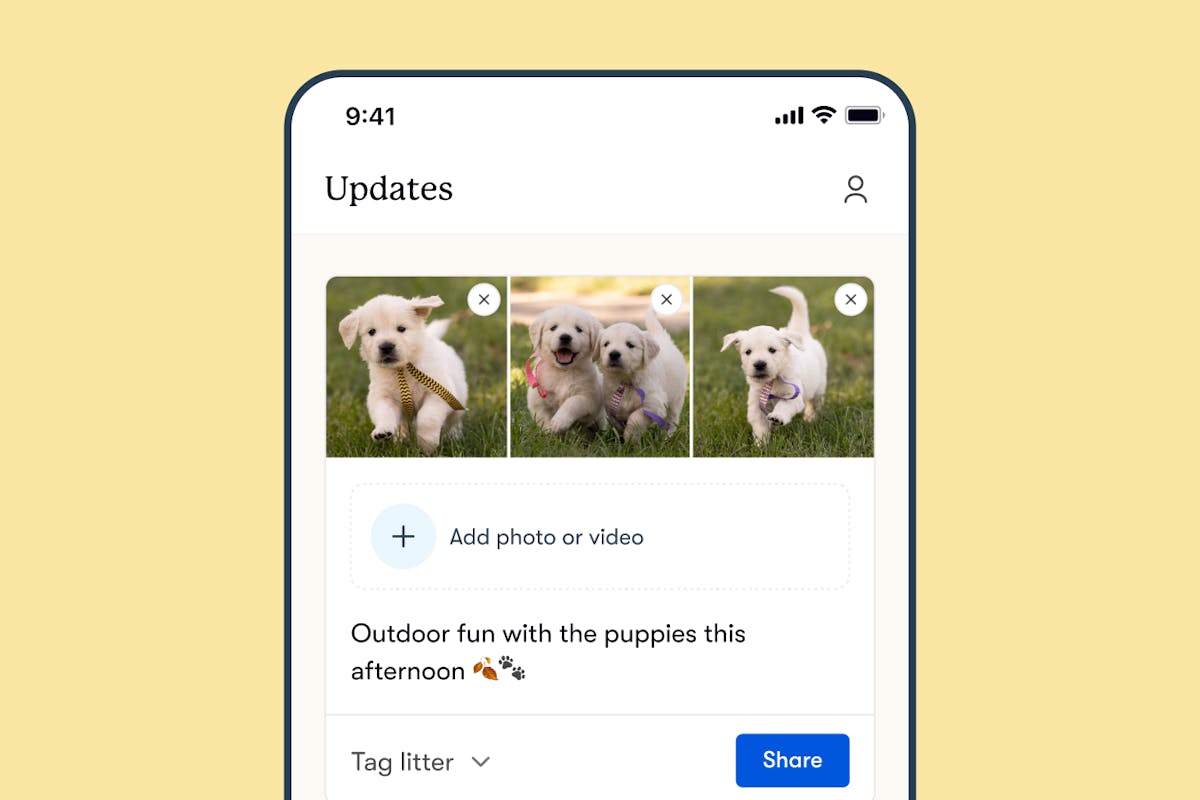
We’re excited to introduce Updates, your personal social feed on Good Dog, designed exclusively for breeders. With Updates, you now have a dedicated space to share the heart of your breeding program and your story directly with serious buyers.
This feature allows you to post photos and videos that highlight what makes your program so special. From daily moments to litter milestones, Updates gives families a glimpse into the dedication and care that set you and your program apart.
What sets Updates apart?
Updates isn’t just another social media feature. It’s a secure, breeder-focused space to build connections with families who are intentionally searching for a puppy from a responsible breeder. Unlike other social media platforms, here your updates reach buyers who value the care, quality, and attention breeders put into raising puppies. Plus, it’s easy to cross-post to other platforms like Facebook while enjoying a safe space to celebrate your breeding program, with our trusted community of quality puppy buyers who value dog breeders like you.
Benefits of Updates
- Showcase your dedication to your puppies – Show families what makes your program unique, your day-to-day life as a caring breeder, and the real work that goes into raising your puppies.
- Reach serious buyers – Connect with buyers who are actively searching for their next puppy and are committed to finding it from a responsible breeder.
- Quality and safety – Share within a community built for breeders, free from scammers and anti-breeder sentiments.
How to get started with Updates
Find Updates exclusively in the latest version of our breeder app (download it here: iOS, Android)
Creating your first update is simple:
- Open the Updates tab in the bottom bar
- Create a post with photos, videos, and captions
- Tag a litter to connect with active listings
- Post and connect with Good Dog buyers!
A social feed to showcase your Updates
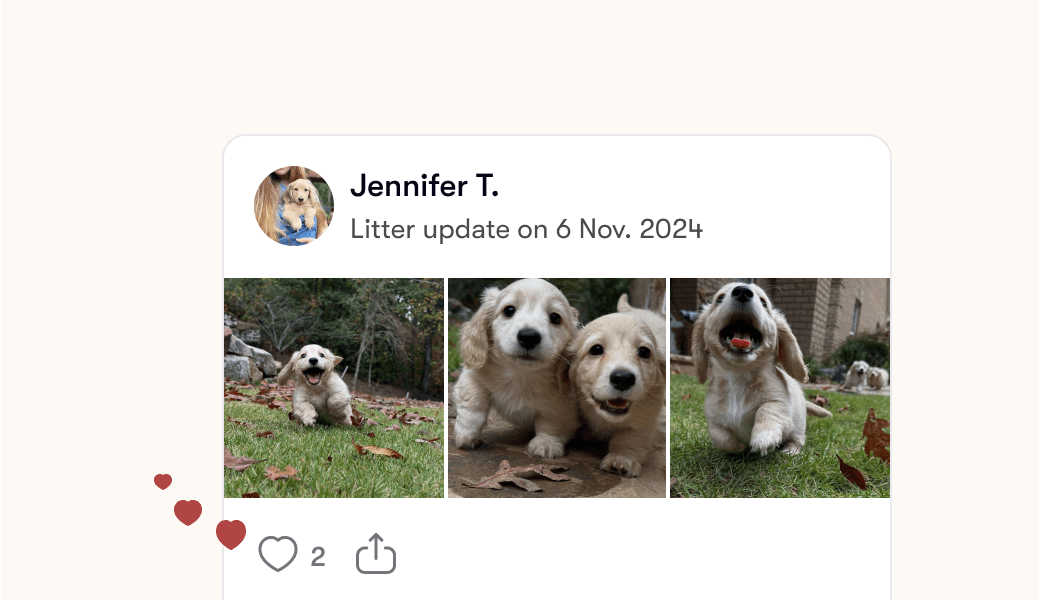
Once you share a post, it will appear on your breeder profile, and in a dedicated, scrollable space in our buyer mobile app (similar to TikTok or Instagram). Our buyer mobile app feed allows buyers to discover your Updates and immerse themselves in puppy content from breeds they're interested in. Your Updates will appear chronologically in this feed, with the newest posts at the top – giving buyers a peek into your program's day-to-day activities and puppy milestones.
How Updates help you reach more serious buyers
With a simple tap, interested buyers can follow you from your profile or the buyer mobile app to see your Updates on their personalized feed.
- Stay top-of-mind with serious buyers: Your Updates appear directly in buyers' daily scrolling, keeping your puppies and program front and center when they're ready to apply.
- Reach more of the right buyers for your program: We'll recommend your Updates to buyers in your area who are interested in your breed, expanding your reach to potential buyers.
- Stay connected with interested families: Potential buyers who follow you will receive weekly emails about your program.
- Turn your followers into serious applicants: Your followers can easily track your program in their personalized feed and apply the moment they're ready.
Tips for great Updates
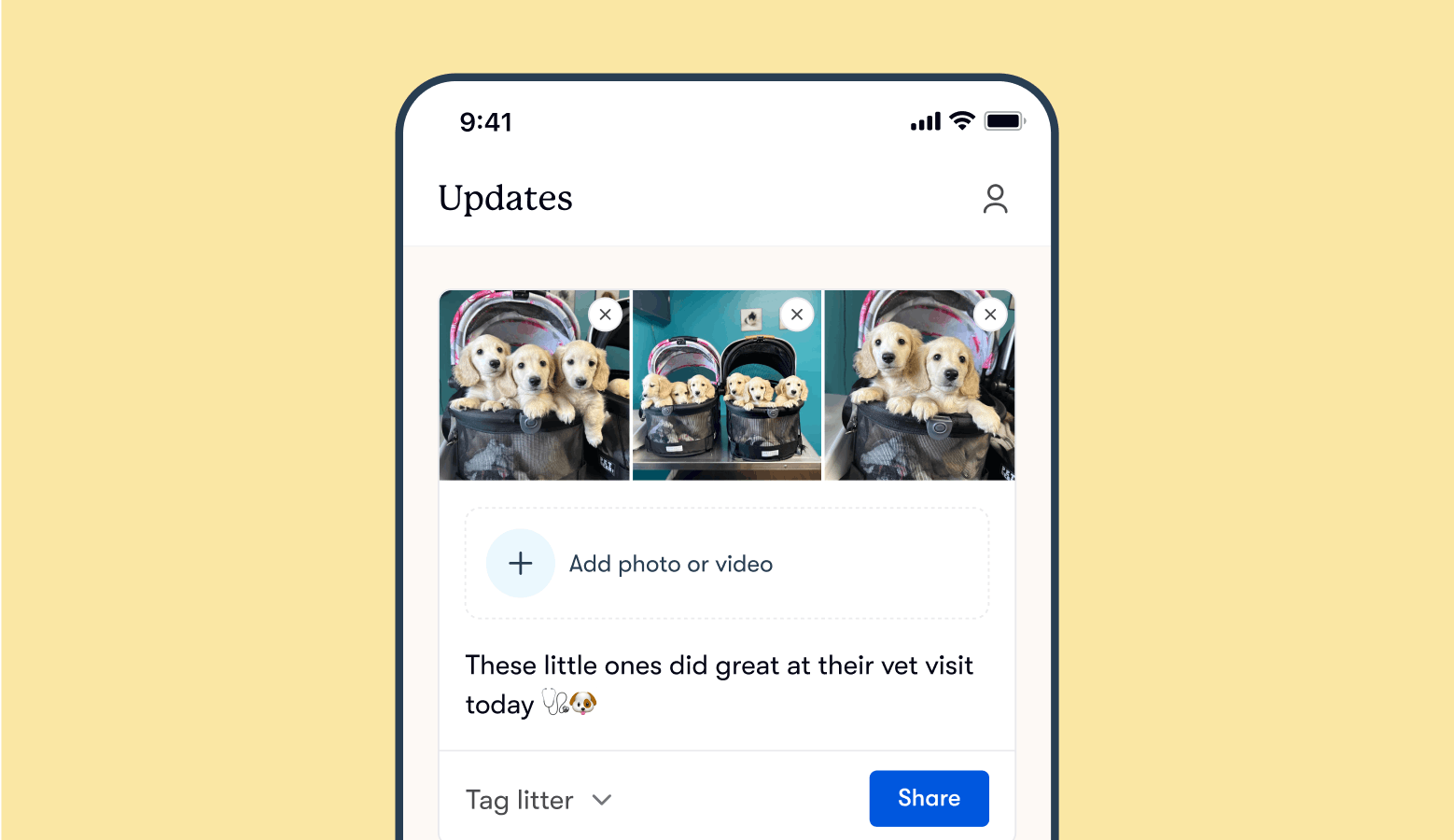
- Share your litter’s health checks. Health checks are a critical part of raising a healthy litter, so take a moment to document regular vet visits and routine care.
- Highlight your program’s accomplishments. Whether it’s out on the show circuit with your parent dogs or achieving certifications, Updates is the perfect place to share these big moments for your program.
- Show socialization progress. Capture key socialization activities, like introducing puppies to new sights, sounds, and textures, as well as interactions with people and other animals.
- Document sweet moments. Share photos of puppies interacting with their parents or playing with littermates—these everyday moments help buyers connect with your puppies.
- Share pickup days. Document the memorable send-off moments as puppies head home with their new families, allowing future buyers to envision what it’s like to work with you.
- Document outings with your puppies. Whether you’re off to home depot, the local library, or nursing home, share these outings to show how you prepare puppies for the world around them.
- Highlight litter milestones. From weigh-ins and first baths to first outdoor adventures, capture these moments so buyers can follow along with each litter’s growth and progress.
- Showcase your training efforts. Share photos or videos of your work with crate and house training, giving buyers a look at the foundation you’re building for each puppy.
Frequently Asked Questions
Q: Who will see my posts?
A: Your posts are visible to Good Dog buyers who follow your program, view your breeder profile, or check puppy listings where you’ve tagged an active litter in an Update.
Q: Is this feature only available to breeders with active litters?
A: No, you can post Updates anytime—even without active litters—to keep buyers engaged with your program.
Q: Can I share posts from Good Dog to my other social media pages?
A: Yes! You can easily cross-post your Updates to platforms like Facebook to streamline the process and keep your audience informed about your program.
Q: How often can I post updates?
A: You can post as often as you'd like! Regular posts keep buyers engaged and showcase the ongoing care you put into your program, but we recommend posting at least once a week to keep buyers informed.
Q: Who will be notified when I post?
A: Buyers following your program or those interested in your litters will receive email notifications about your Updates.
Q: Can I edit or delete after posting?
A: Yes, you can edit or delete any Update you post, allowing you full control over your content.
Q: Is there a character limit?
A: Currently, captions have a set limit to keep posts engaging and concise.
Q: Are there specific requirements for photo or video sizes and formats?
A: For a single photo or video, the optimal landscape dimensions are 1200x630. For posts with multiple photos or videos, our platform supports most standard formats. To make the best impression, we recommend using high-quality images and videos.
Ready to Start Posting?
Download the latest version of the Good Dog breeder app, and share your first Update today. We can’t wait to see the moments that make your program special!
If you have any questions, feel free to reach out to us at breederteam@gooddog.com. Our team is here to help you make the most of Updates!