Breeders
Get help with the Good Breeder application process, setting up your breeder profile, payments, and more.
Messaging on Good Dog
- From your Inbox, open the chat with the buyer (or search for them using the search bar)
- Type your message in the message box at the bottom
- Click the send icon (➤) or press Enter/Return on your keyboard
- Tap "Inbox" at the bottom of the screen
- Tap the buyer you'd like to message or search for them by name
- Type your message in the message box at the bottom
- Tap the send icon (➤) to send
- Click the "+" icon below the message box
- Select "Share attachment" and choose the photo, video, or file you'd like to send from your device
- Tap the "+" icon next to the message box at the bottom of your chat
- Select one of the following:
- "Camera" to take a new photo
- "Photos" to share a photo or video already saved on your device
- "Files" to send a document or other attachment
- From your Inbox, open the chat with the buyer
- Click on the buyer's name at the top of the chat
- Select "Assign to litter or puppy"
- Choose the litter from the dropdown menu, then pick a specific puppy or select "I'll pick a puppy later"
- Click "Confirm match" (you can add an optional message before confirming)
- From your Inbox, open the chat with the buyer
- Tap the "Details" tab at the top of the chat
- Select "Match to litter or puppy"
- Choose the litter from the dropdown menu, then pick a specific puppy or select "I'll pick a puppy later"
- Tap "Confirm match" (you can add an optional message before confirming)
- Click or tap the "+" icon next to the message box
- Select "Request payment" (or "Payment" on the app, then "Create payment request")
- Enter the amount, category of payment, an optional due date, and an optional message
- Click or tap "Request now"
Still need help?
Contact SupportFeatured Articles
-
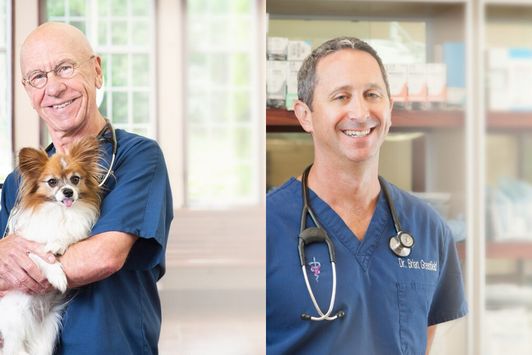
Good Dog Q&A with Dr. Hutchison and Dr. Greenfield
Dr. Hutchison & Dr. Greenfield explore ethics in dog breeding.
-
The latest information on transportation during COVID-19
Wondering what to do about getting your pups to their new homes in the age of coronavirus? Here's the current situation.
Are you a dog breeder interested in learning more about our community from a real person?
If you’re a responsible breeder and are interested in learning more about us, our community, and our mission, we’d love to speak with you. Please feel free to email us anytime at breederteam@gooddog.com and a member of our dedicated breeder team would be happy to answer your questions and share more about Good Dog with you.
Join our Good Breeder Community
Are you a responsible breeder? We'd love to recognize you. Connect directly with informed buyers, get access to free benefits, and more.