Breeders
Get help with the Good Breeder application process, setting up your breeder profile, payments, and more.
Download & Share your Good Breeder Badges
- From your Good Dog Dashboard, click on your profile photo/program name in the top right corner
- From the navigation bar, click Downloads
- Click Download above your Good Breeder Badge.
- Go to your personal website’s editor
- Upload your Good Breeder Badge and hyperlink to your Good Dog Profile.
NOTE: Your unique profile link can be found on your Good Dog Dashboard, by clicking View Profile in the top-right corner. (You’ll now see your unique profile link in the website url bar.) - You can share your direct application link by simply adding ‘/application’ to the end of your program’s unique url
NOTE: You can only accept applications on Good Dog when you have a published upcoming or available listing.
- Tap Payments at the bottom of the screen
- Tap Start In-Person Payment
Scanning the QR code on the screen (using the Camera app on their mobile device)
OR
Send your payment link to your buyer using the Share button (great for sharing via AirDrop, text message, email, and more!)
- From your Good Dog Dashboard, click on Payments
- Under Payment details, click Copy payment link
- This will automatically copy your payment link to the device’s clipboard (which can then be pasted elsewhere)
Still need help?
Contact SupportFeatured Articles
-
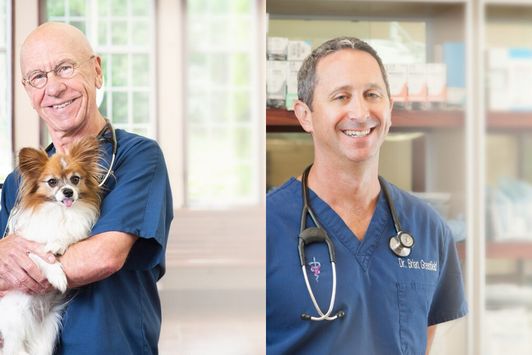
Good Dog Q&A with Dr. Hutchison and Dr. Greenfield
Dr. Hutchison & Dr. Greenfield explore ethics in dog breeding.
-
The latest information on transportation during COVID-19
Wondering what to do about getting your pups to their new homes in the age of coronavirus? Here's the current situation.
Are you a dog breeder interested in learning more about our community from a real person?
If you’re a responsible breeder and are interested in learning more about us, our community, and our mission, we’d love to speak with you. Please feel free to email us anytime at breederteam@gooddog.com and a member of our dedicated breeder team would be happy to answer your questions and share more about Good Dog with you.
Join our Good Breeder Community
Are you a responsible breeder? We'd love to recognize you. Connect directly with informed buyers, get access to free benefits, and more.