How to Watermark and Protect Sensitive Information in Documents & Photos
Good Dog is on a mission to educate the public, support dog breeders, and promote canine health so we can give our dogs the world they deserve.
Good Dog is on a mission to educate the public, support dog breeders, and promote canine health so we can give our dogs the world they deserve.
Good Dog is on a mission to educate the public, support dog breeders, and promote canine health so we can give our dogs the world they deserve.
Why you should watermark your documents and photos
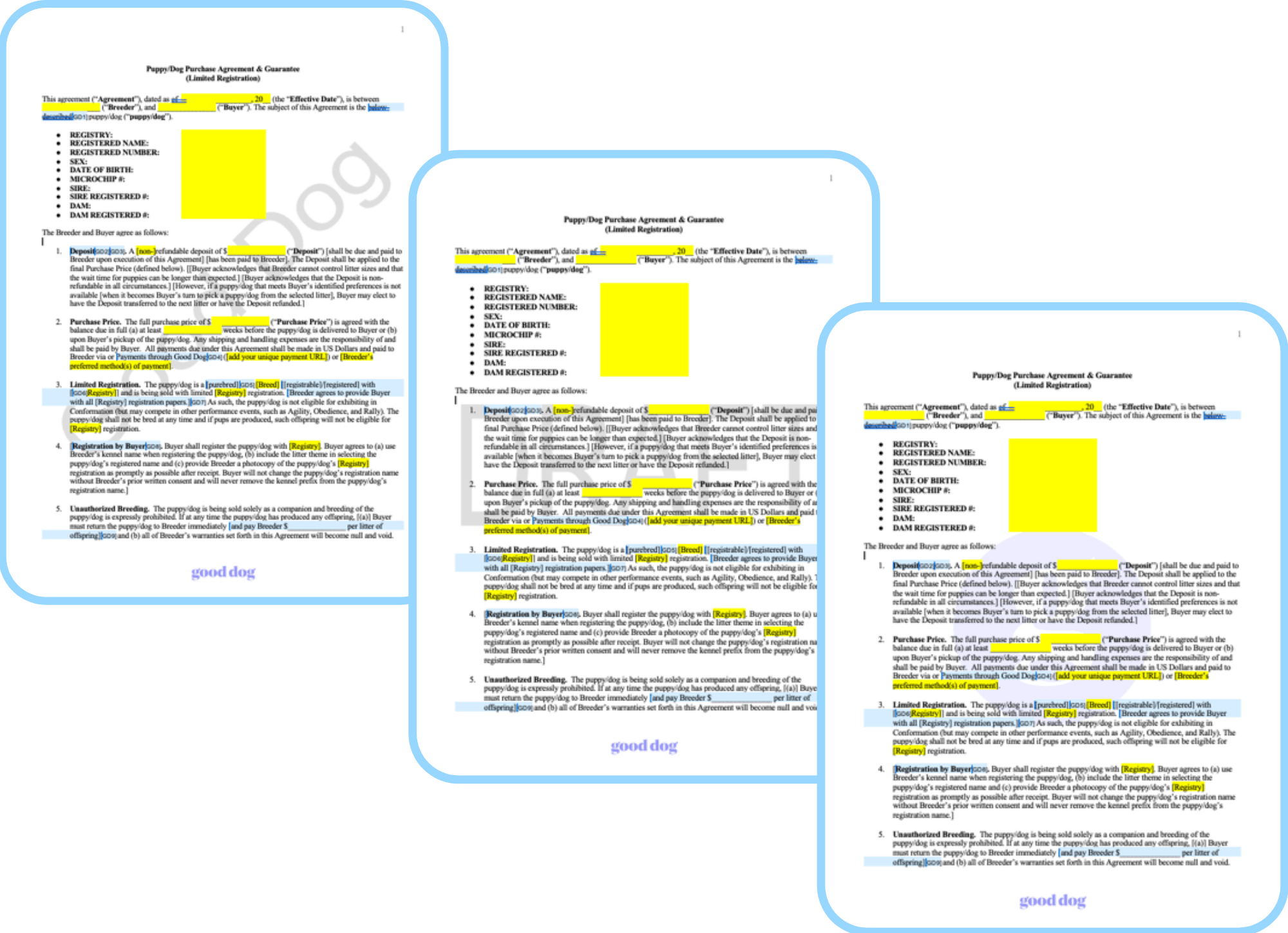
Watermarking your documents and photos helps ensure that they cannot be reused or altered without your permission. Watermarking can indicate whether the document is a “copy” or an “original”, a “draft”, “for review” or a “final” version. The most important advantage of watermarking a document or photo is that it provides the author with an opportunity to protect their intellectual property. Using your logo or breeding program name as a watermark is a good way for viewers of your documents and/or photos to know that you are the original creator and to protect them from being copied or edited.
Creating a watermark that works for you
A watermark is an image, logo or text that appears behind the main text of a document or superimposed on a photo. In a document, it is usually a lighter shade than the text, so you can read the document easily. Watermarks on photos are often in white or translucent text.
The look of your watermark is up to you and you can have different watermarks for different file types or purposes. You may want your watermark to contain copyright information, an identifying mark, like your breeding program name or logo, or status information, such as “Confidential”. For example, you might add your breeding program name behind the text of your puppy contract or place your logo behind the text of a health testing document. Your watermark should be visible without detracting from the content of the page or image itself.
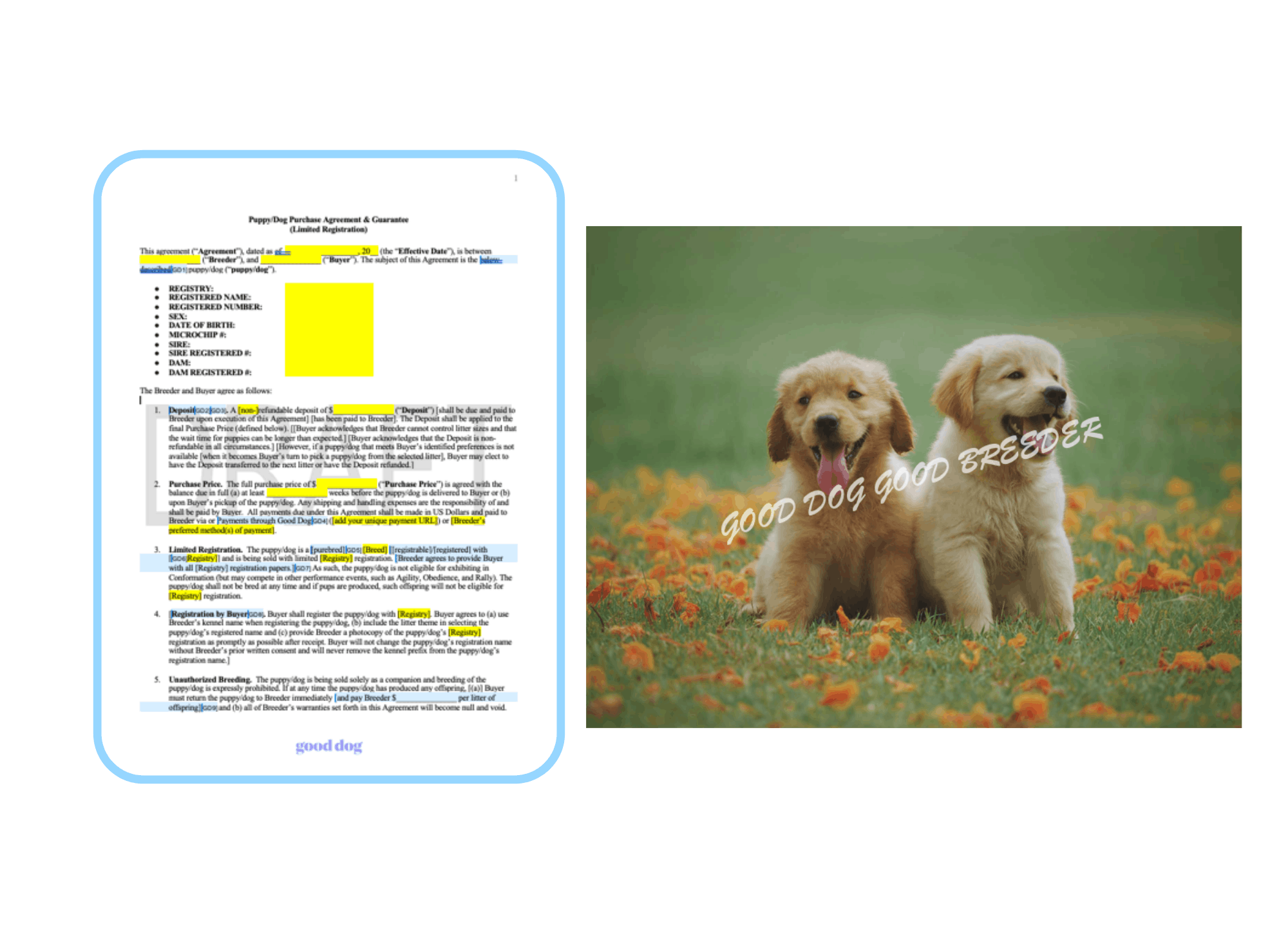
Here’s an example of a document with a “draft” watermark behind the text and a photo with text superimposed over the puppies. Placing the watermark over the actual puppies will make it more difficult for others to crop your watermark out of the photo.
How to watermark a document using different software programs
There are several software programs available to add a watermark to your documents. We have listed a few below along with their website link for more specific information. Google Docs is a free option, while the other options require a purchase either of a one time fee or a monthly subscription. For any of the methods listed below, we recommend saving your file as a Portable Document Format (PDF). Saving a file as a PDF not only allows others to easily view your file on multiple platforms, it also adds a layer of protection.
Google Docs - we suggest once you watermark your Google document, you save it as a PDF file for additional protection.
- Go to Insert. Watermark.
- In the panel on the right, click Text or Image.
- Type the text you want to appear as a watermark or select an image from your computer files.
- Optional: In the panel on the right, you can format your watermark.
- Click Done.
- Click File > Download > PDF Document (.pdf)
Word Doc - we suggest once you watermark your word document, you save it as a PDF file for additional protection.
- On the Design tab, select Watermark.
- Choose a pre-configured watermark, like DRAFT, CONFIDENTIAL, or DO NOT COPY.
- For placing a logo or image, Select Watermark > Custom Watermark > Picture watermark > Select Picture. On the same menu you can create a custom text watermark.
- Click File > Save As > Select PDF under “File Format” > Export (choose best for electronic distribution and accessibility option)
PDF - this option requires purchasing the version of Adobe that allows editing to a PDF. An alternative to purchasing Adobe is to use Dropbox (see below).
- Adobe - offers additional security measures, such as password protection and edit/copy restrictions.
1. Choose Tools > Edit PDF > Watermark > Add.
2. Specify the watermark: file or image
3. Adjust the image and select the number of pages for watermarking. - Dropbox - allows you to enable customizable watermarking for any JPEG, PNG, BMP, or PDF file, however, you would need an account to get started.
How to protect your sensitive information on documents
In addition to watermarking your documents, you may also want to remove or block out your personal information, such as your name and address. This process is also referred to as redacting (obscuring) text in a document.
- If you have purchased Adobe, this process involves using the editing tool “Redact” and then removing the information you would like hidden. An additional layer of protection is also offered by Adobe for redacting data and metadata.
- If you have a Mac computer, you can also open the PDF in “Preview”, and select View > Show Markup Toolbar, then click the “Redact” button at the top of the toolbar. Next, highlight the text you would like hidden and save the document again as a PDF to further protect your redaction.
- You can also redact in a Google Docs by simply highlighting the text in black. Be aware, however, that anyone with "edit" access can remove that highlighting, so it's best to share the document with "view" only access and/or save the document as a PDF file.
Below is an example of an OFA Cardiac Report Form with a watermark of “example” and redaction covering sensitive text:
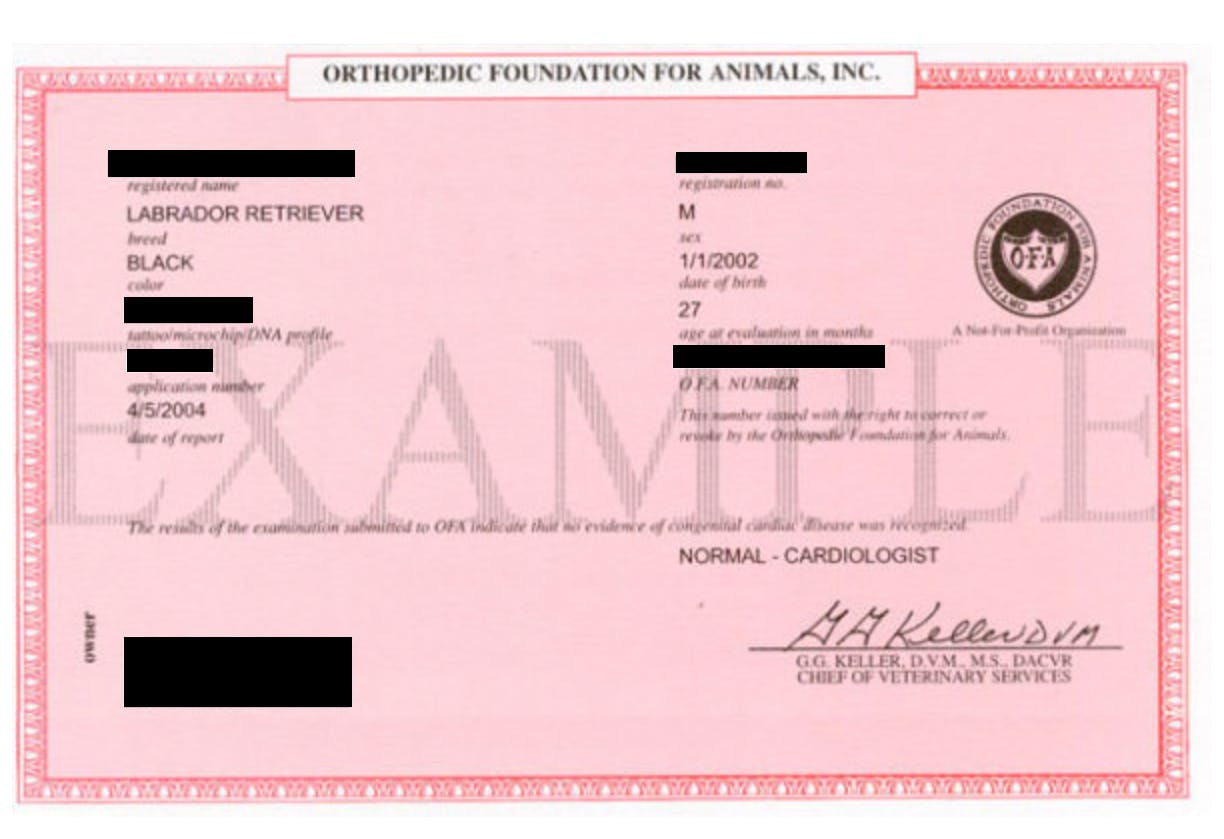
The presence of a watermark and/or redaction on your documents or photos will help protect your information, make it more difficult for others to copy and may help to discourage plagiarism at all.
Disclaimer: This article is provided for general information purposes only, and shall not be construed as watermarking/legal advice. We would recommend connecting with an attorney in your state if you are able. Good Dog expressly disclaims all liability in respect of actions taken or not taken based on any or all of the contents in this article.
Join our Good Breeder community
Are you a responsible breeder? We'd love to recognize you. Connect directly with informed buyers, get access to free benefits, and more.