Breeders
Get help with the Good Breeder application process, setting up your breeder profile, payments, and more.
Request a payment
- From your Inbox, open the chat with the buyer
- Click the "+" icon below the message box at the bottom
- Select "Request payment"
- Following the on-screen prompts, enter the amount and category of payment (deposit, dog payment, other), and add an optional due date and message
- Review your request details, and click "Request now"
- Tap "Inbox" and open the chat with the buyer
- Tap the "+" icon next to the message box at the bottom
- Tap "Payment", then select "Create payment request"
- Following the on-screen prompts, enter the amount and category of payment, and add an optional due date and message
- Review your request details, and tap "Request now"
- From your Payments dashboard, click "Request payment"
- Select the buyer from your waitlist
- Following the on-screen prompts, enter the amount and category of payment, and add an optional due date and message
- Review your request details, and click "Request now"
- Tap "Payments" at the bottom of the screen
- Tap "Request payment", and select the buyer from your waitlist
- Following the on-screen prompts, enter the amount and category of payment, and add an optional due date and message
- Review your request details, and tap "Request now"
- From the Good Dog: For Breeders app, tap "Payments" OR from a chat tap the "+" icon and select "Payment"
- Tap "Start in-person payment"
- Your program's unique QR code will display, which the buyer can scan with their phone camera, OR tap "Share" to send your unique payment link via text, email, AirDrop, and more
Still need help?
Contact SupportFeatured Articles
-
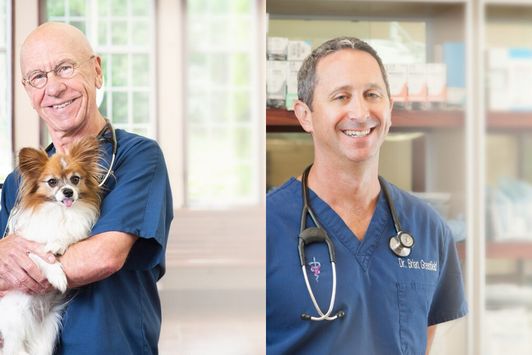
Good Dog Q&A with Dr. Hutchison and Dr. Greenfield
Dr. Hutchison & Dr. Greenfield explore ethics in dog breeding.
-
The latest information on transportation during COVID-19
Wondering what to do about getting your pups to their new homes in the age of coronavirus? Here's the current situation.
Are you a dog breeder interested in learning more about our community from a real person?
If you’re a responsible breeder and are interested in learning more about us, our community, and our mission, we’d love to speak with you. Please feel free to email us anytime at breederteam@gooddog.com and a member of our dedicated breeder team would be happy to answer your questions and share more about Good Dog with you.
Join our Good Breeder Community
Are you a responsible breeder? We'd love to recognize you. Connect directly with informed buyers, get access to free benefits, and more.